
Coach notes
A coach note is a short message the coach attaches to an event. You’ll see it on the event card with a 📌 emoji.
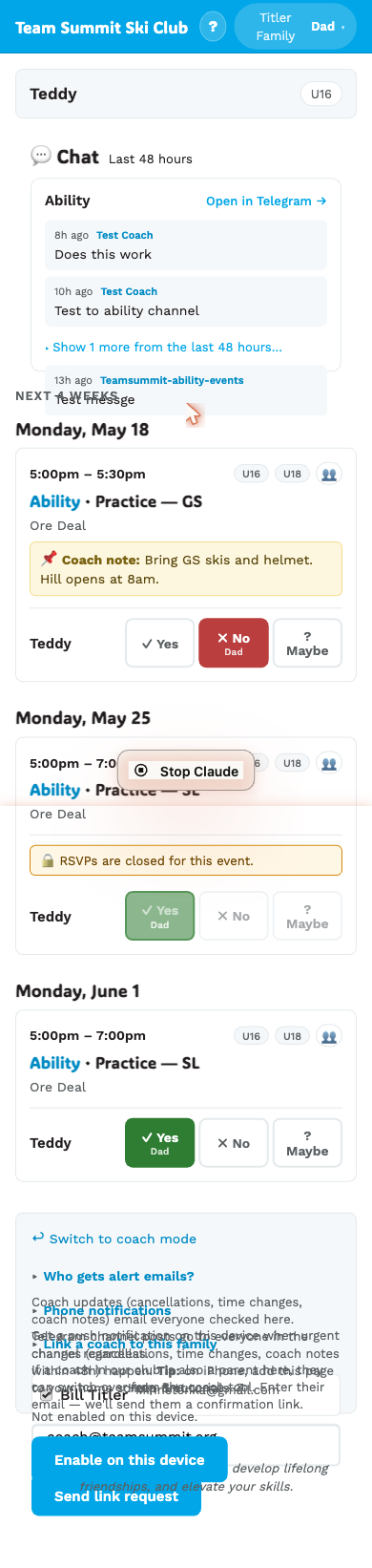
Examples
- 📌 Bring rock skis (rocks reported on Bonzai).
- 📌 Training is at the lodge today — too cold for the hill.
- 📌 New start time: meet at 7:15 sharp.
Where it shows
On the event card, above the RSVP buttons. Visible to every family with an athlete in that event’s groups.
When you get notified about a new note
When a coach adds (or changes) a coach note:
- If the event is within 48 hours — you get a phone push (if you’ve enabled push) AND the message goes to the Telegram channel.
- If the event is more than 48 hours away — it shows up on your family page banner (”✨ Coach note added: Training on Mon …”). No phone buzz; you’ll see it next time you open the page.
See Enable phone push to set up phone buzzes.
I don’t see one
Many events won’t have a coach note. That’s fine — the coach only adds one when there’s something specific to say.
Coach notes are read-only for you
You can’t edit a coach note from the family page. If you have feedback on a note, message the coach directly (or reply in the Telegram channel).