
Locked-out RSVPs
Some events have an RSVP deadline set by the coach — after that time, the Yes and No buttons are gray and don’t accept taps.
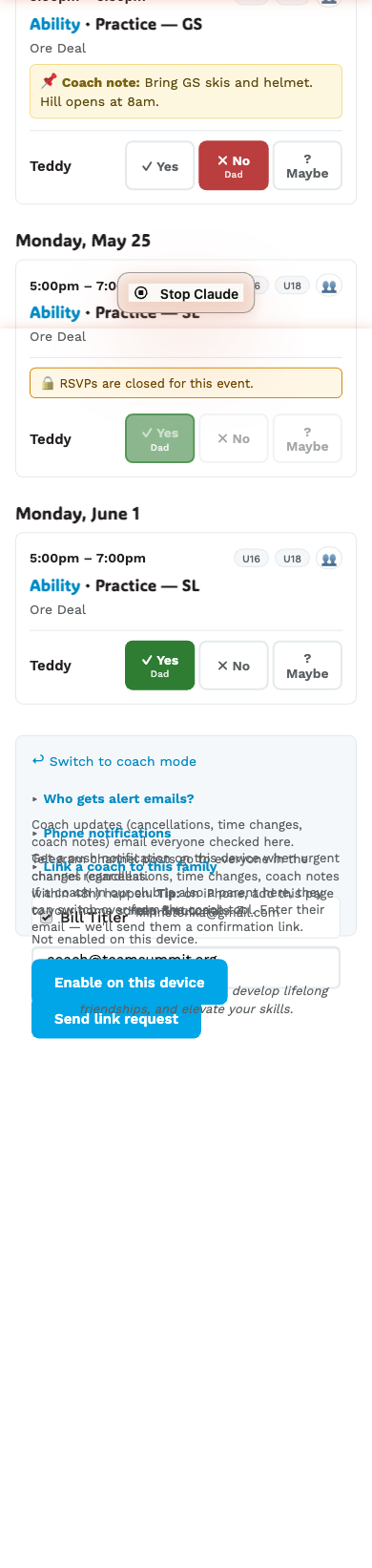
What it looks like
Above the buttons, an amber message:
🔒 RSVPs are closed for this event.The Yes and No buttons are still visible — your existing answer (if you made one in time) stays on display, locked in. New taps don’t go through.
Why coaches set this
Two common reasons:
- Race events — coaches need a final headcount well before the start to plan run orders and equipment.
- Training with limited spots — to prevent last-minute scrambling.
Two kinds of deadlines
The coach can set either:
- A specific date and time (e.g. “Close at Friday 5pm” for a Saturday race).
- A relative window before the event — an hour, a day, three days. Whatever the coach picks, it moves with the event if it’s rescheduled. New events default to one hour before the start.
You’ll see the closed banner once you cross the deadline. There’s no banner before the deadline; you just see the regular buttons.
I missed the deadline — now what?
- Contact your coach directly — text, email, the Telegram channel. They can mark you in (or out) manually from their side. Coaches can always override the lock-out.
I RSVPed before the deadline and now want to change it
The button is locked once the deadline passes, even for previously saved answers. Same path — contact the coach.