
Picking who's responding
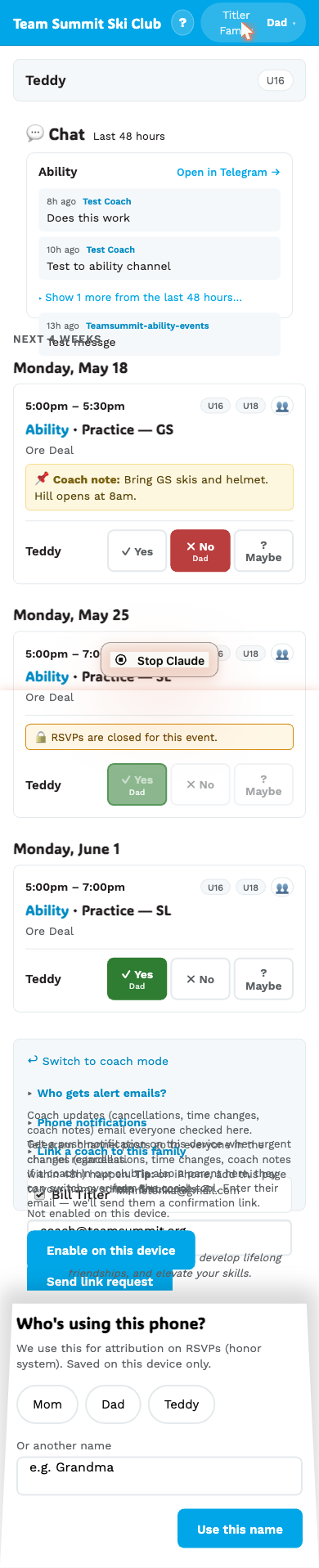
The first time you open your family page it asks “Who’s using this phone?” Pick your name — it’s used to sign the RSVPs and messages sent from this device.
Why this exists
A family page is one URL shared between everyone. Without the persona, the coach sees an RSVP but doesn’t know who hit the button. With the persona, the active button shows a tiny byline like “Mom” or “Dad” under it. The coach knows who’s responding.
Choices
The picker shows:
- Mom and Dad chips, plus one per athlete in your family.
- An Other field where you can type a name (e.g. “Grandma”).
Saved per device
The persona is stored on this device only. So:
- Mom’s phone always says “Mom” when she RSVPs.
- Dad’s phone says “Dad.”
- The shared kitchen iPad might say “Other” — type whatever’s appropriate.
There’s no shared “current persona” — each device has its own.
Changing it
Tap the persona button at the top of the family page header (right side, shows your current name + a small chevron). The picker comes back. Pick a different name and confirm.
What if you skip it
The button label defaults to “Other” if you don’t pick a persona. The coach still sees the RSVP — they just don’t know who hit it.